01
Build one shared fund
Bring every member’s contribution into one organized record, so the community can see the fund taking shape throughout the year.

Record contributions, loans and payments in one place. Start your group on the web today. Android and iOS apps are coming soon for treasurers and members.
Tinubuan never holds, sends or lends your money. Your group keeps its own cash; Tinubuan keeps the records.

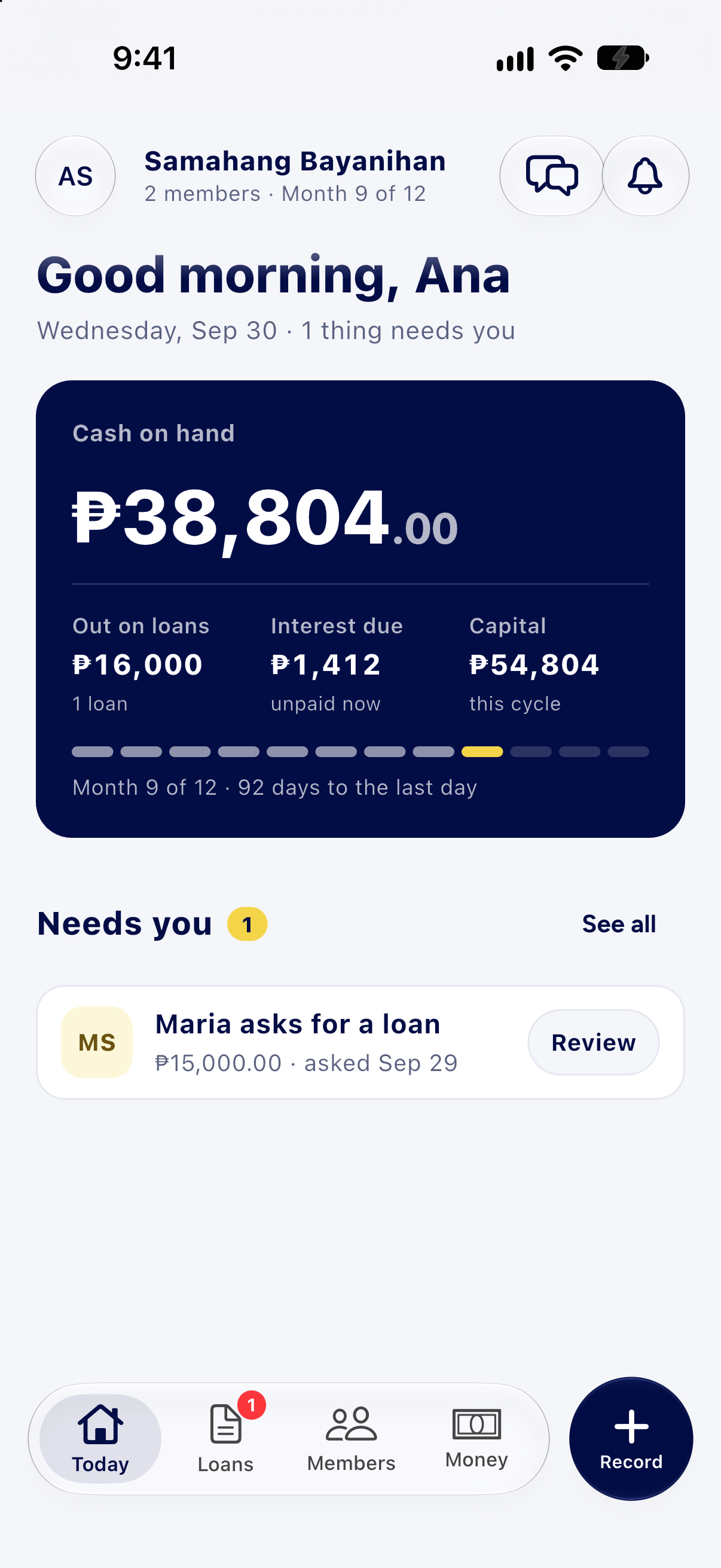

iOS & Android · Coming soon
Check your savings, follow a loan, or record a contribution. Tinubuan is coming to iPhone and Android, so you can bring your group’s records wherever you go.
Coming soon to the App Store and Google Play.
Start on the web today
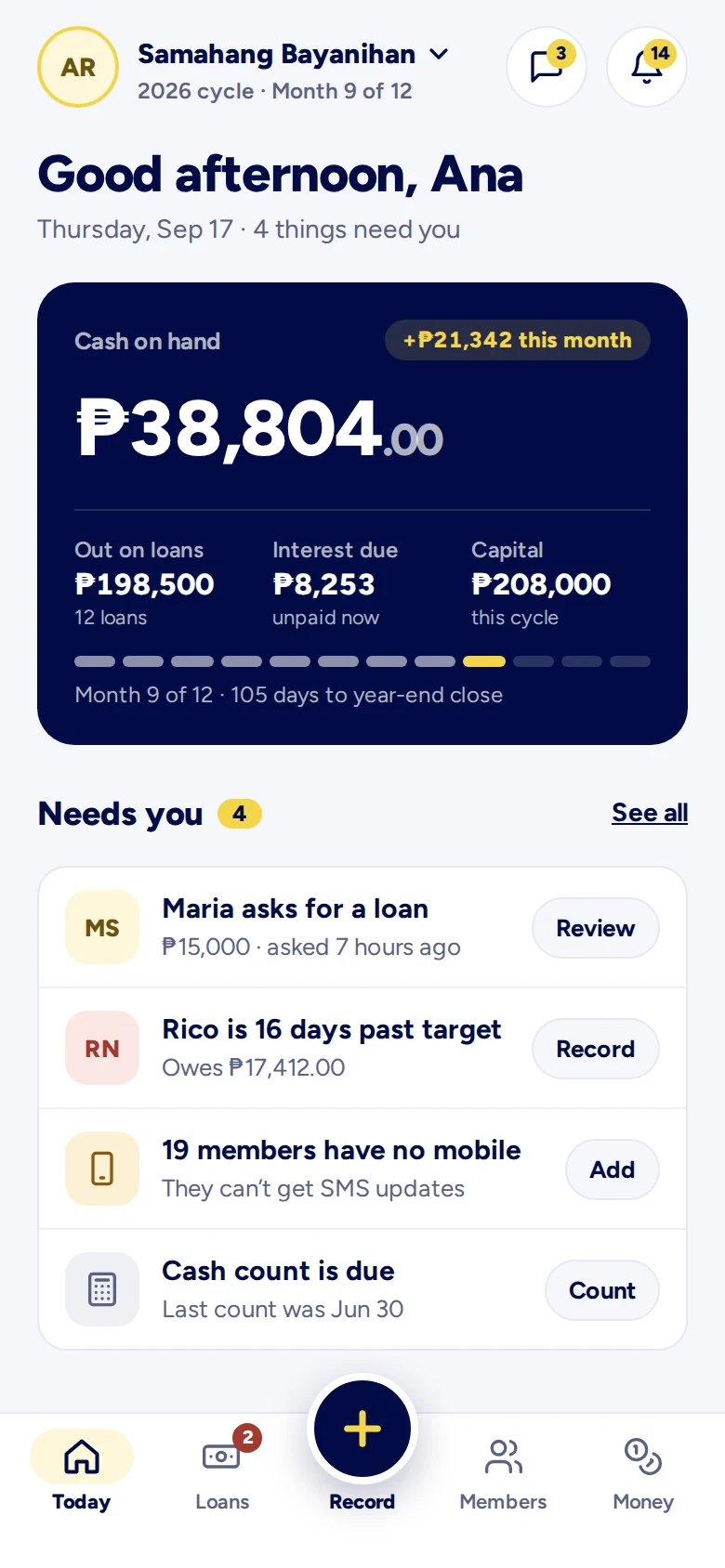
App previews · Shown with example data
Why Tinubuan
Members contribute on schedule, and the group lends from its own fund under its own rules. When the cycle closes, each member gets back their contributions plus a share of the interest collected, worked out from one record every member can see.
Bring every member’s contribution into one organized record, so the community can see the fund taking shape throughout the year.
The group lends from its pooled money under the rules it agreed on. Interest collected goes back into the fund.
At year end, the group can distribute each member’s contributions together with their share of actual interest income, based on the community’s agreed rules.
How it works
The community leader or treasurer signs up first, creates the group, and prepares it for its members.
The treasurer adds each member using an active mobile number and email address, so every invitation reaches the right person.
Each registered member receives a private invite code. They’ll use it to join in the app when it launches.
Once the Android and iOS apps launch, members can use their invite code to view their contributions, loans, payments and group updates.
Inside Tinubuan
Each role gets a focused experience, without losing the shared context that keeps a group connected.
Screens from the Tinubuan app, shown with example data.

Where Tinubuan runs
Start with the web workspace today. Android and iOS apps are coming soon, bringing the same group records to your phone.
The roomiest way to run a group. A wide screen fits the whole loan book, so the Treasurer works down a list instead of scrolling one record at a time.
Available now in a desktop or laptop browser.
Members see their own savings and loans. Treasurers carry the same records and the same tools into the meeting.
Coming soon to Google Play for Android and the App Store for iPhone. Both apps are in preparation; downloads are not available yet.
Questions
No. Tinubuan never holds, sends or lends money. Your group keeps its own cash and makes its own loans; Tinubuan keeps the records so every member can check them.
Free for 30 days, with no card needed. After that, ₱99 a month or ₱899 a year for the whole group, not per member.
No. In a paluwagan, members take turns receiving the whole pot. Tinubuan is built for a sinking fund, which many groups call bu-bu-ay or sosyo: contributions stay in one fund, members (and any outside borrowers the group accepts) borrow from it with monthly interest, and when the cycle closes each member gets back their contributions plus a share of the interest collected.
No. Each member sees only their own savings, loans and payments. The treasurer sees the whole group, and every change is kept in the group’s activity history.
No. The Android and iOS apps will let members check their own records on their phone. Both are coming soon. Treasurers can use the web workspace on a desktop or laptop today.
Not yet. Android is coming soon to Google Play, and iOS is coming soon to the App Store. We’ll add the download links here when they’re ready. In the meantime, treasurers can start their group on the web.
The treasurer signs up, confirms their mobile number and names the group, in about 3 minutes. Then they add the members, and each member gets an invite code by text.
Tinubuan is made in Davao City, Philippines. Questions? Email [email protected].
Start your group
Set it up yourself in a few minutes. Tinubuan texts a code to your mobile number, you name the group, and you can record this month the same day.
Tinubuan helps groups organize records. It does not guarantee lending income or year-end returns.
Already have an account? Log in.
Joining a group with an invite code from your treasurer? Use your code.